Custom Spell System
APG internship — Godot 4 — GDScript / C#
view on github →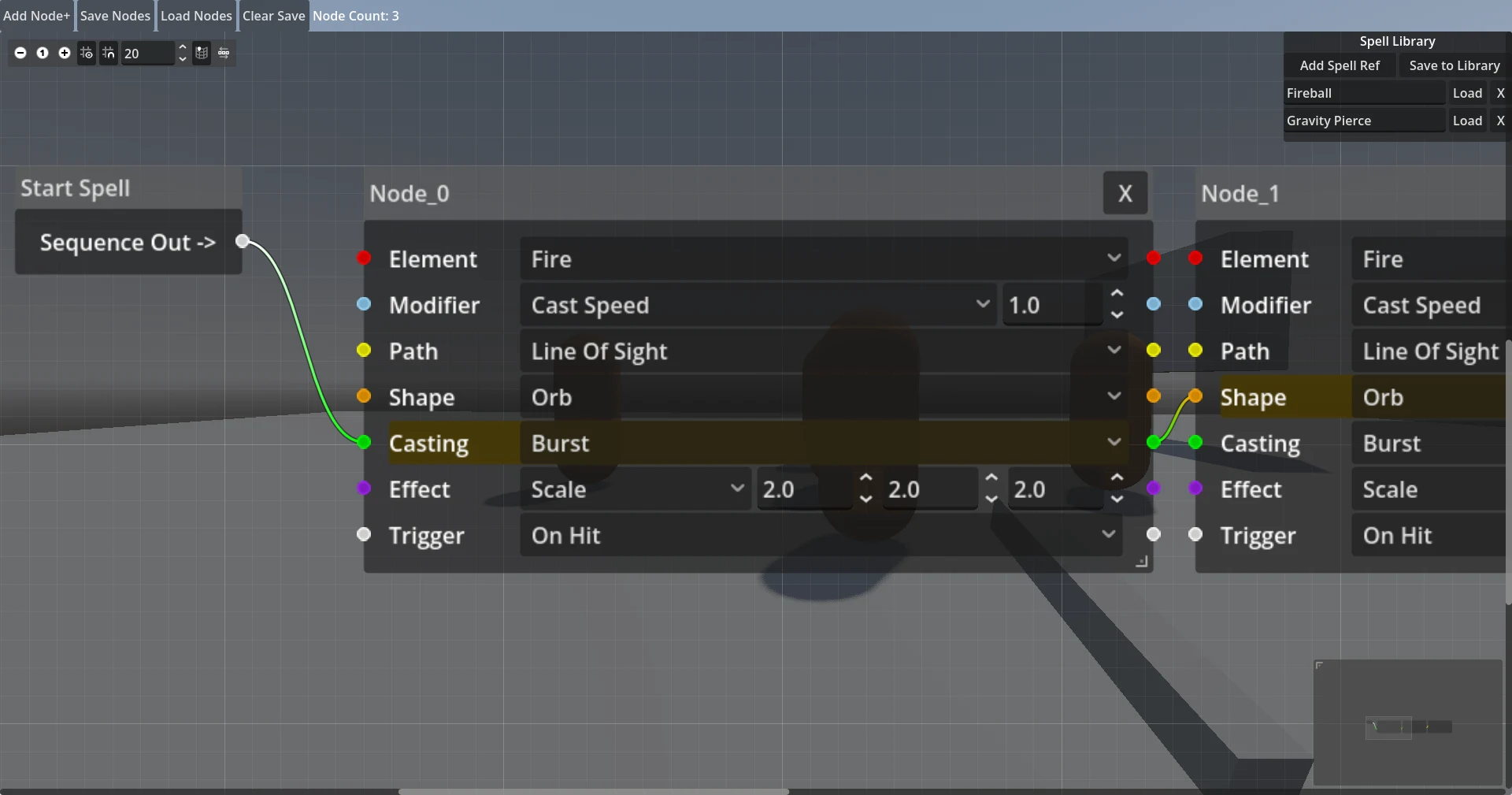
Overview
Built during my internship at Adventure Party Games. This is a visual spell design prototype built in Godot 4. The goal was to let designers construct spells entirely through a node graph editor without writing any new code for each spell — spells are compiled into data at edit time and cast as 3D projectiles at runtime.
The editor is accessed in-game with TAB. Spells are fired with the left mouse button.
The system is composed of seven node categories that can be combined freely.
Node Types
| element | Assigns color and identity to the spell: Fire, Ice, Lightning, or Arcane. |
| shape | Defines the hitbox geometry: Orb, Beam, AOE, Cone, Wall, Explode, Projectile, or Gravity Projectile. |
| path | Controls movement behavior: Line of Sight, Homing, Boomerang, Curve, Zig-Zag, or Upwards. |
| casting | Determines firing pattern: Burst, Continuous, Charge Up, and self-targeting variants of each. |
| modifier | Adjusts numeric parameters such as damage, speed, and size. |
| effect | Applies buffs or debuffs to the caster or target. |
| trigger | Activates child spells on events: On Hit, On Kill, On End, or On Timer — enabling chained and compound spells, e.g. a projectile that explodes into homing orbs on impact. |
| spell_ref | Embeds a previously saved spell by reference, allowing complex spells to be reused as components inside other spells. |
Implementation
When the designer saves a spell, the graph is compiled into a flat sequential array of dictionaries — one dict per node, in traversal order. We read the array and dispatch behavior entirely from data. This is what allows new spells to be authored without touching any C# or GDScript.
Trigger nodes are the exception: at compile time, _split_at_triggers() walks
the array, detects trigger entries, and splices each trigger’s child spell in-place as
a nested sub-array. The runtime re-enters this sub-array on the trigger event, which is what
gives chained spells (e.g. projectile → on-hit → homing orbs) their recursive
structure without any special-casing in the cast loop. SpellFactory also
recursively inlines any spell_ref entries before assembling the object, so
references to saved spells are fully transparent to the cast loop.
Spell casting is not tied to mouse input directly. Pressing the button starts the wand
animation; the animation hits a keyframe that emits a spell_cast() signal,
which the spell system receives to actually spawn the projectile. This keeps cast timing
locked to the animation rather than raw input.
The project is written in GDScript, with the only C# parts being the external PlayerController Library and its physics.
↑ back to top